

How to Safely Download Casino Apps in Malaysia
To safely download casino apps in Malaysia, you really need to focus on three things: verifying the operator’s gaming license, downloading only from official app stores, and carefully reviewing app permission requests before you install anything. In our experience, these three steps stop the vast majority of malicious app installations and data leaks. Our internal records show that whenever users follow them, security incidents drop consistently. Our platform holds a valid Malta Gaming Authority license (MGA/B2C/748/2019), which means we are regulated by a globally respected authority that enforces strict rules on fairness and player protection. We’ve processed over 100,000 secure app downloads since we launched (our internal records, Feb 2026), giving us a clear understanding of the security landscape.
Table of Contents
- Why Casino App Security Matters in Malaysia
- Step-by-Step Guide: iOS Casino App Download
- Step-by-Step Guide: Android Casino App Download
- Verifying Casino App Authenticity
- App Permission Security Checklist
- Common Download Security Mistakes
- Secure App Usage Best Practices
- Getting Help with App Security Issues
In our experience operating in Malaysia, we know that players face unique risks when downloading casino apps, from fraudulent applications and data theft to unlicensed operators who won’t pay out. This guide covers the essential steps we recommend for secure casino app downloads, managing permissions, and how to verify casino app authenticity so you can protect your personal information and your money.
Why Casino App Security Matters in Malaysia
Mobile casino applications handle your sensitive financial data and personal information, which is why we always verify an app’s security before recommending it. In our 10+ years of experience in Malaysia, we’ve pinpointed three main security risk areas you should be aware of:
Data Protection Risks
- Unauthorized access to banking information: A fake app could look completely real but secretly record your login details when you try to deposit. This gives criminals direct access to your bank account.
- Personal identity theft through fake applications: These malicious apps can trick you into submitting your IC photo or other personal details, which can then be used to open accounts in your name.
- Location tracking without consent: Some shady apps might track your location 24/7, not just when you’re playing. That’s a huge invasion of your privacy.
Financial Security Concerns
- Unlicensed operators with no payout guarantees: This is a massive risk. An unlicensed casino has zero legal obligation to pay you your winnings. If you hit a big win, they can just close your account and vanish.
- Fraudulent payment processing: Fake apps might use unsecured payment gateways that are designed to steal your credit card information.
- Hidden fees and unauthorized charges: You might suddenly find unexpected charges on your account from an app that didn’t clearly disclose its fee structure.
Legal Compliance Issues
- Apps from unlicensed operators can violate Malaysian gaming laws: Using an unregulated service can put you at risk, as these operators exist outside of any legal framework.
- Potential account freezing by authorities: Banks may flag transactions with known illegal operators, which could lead to your accounts being frozen.
- No legal recourse for disputes with unlicensed operators: If you have a problem, there’s no regulatory body to complain to. You’re completely on your own.
We address these concerns head-on through our MGA licensing, SSL encryption (which scrambles your data to make it unreadable to outsiders), and our partnerships with certified Malaysian banks (partner details available on request). We also perform routine security audits and maintain strict responsible gaming controls.
Step-by-Step Guide: iOS Casino App Download
1. Verify Operator License Status
Before you even think about downloading a casino app, you need to confirm the operator holds a valid gaming license. A license isn’t just a piece of paper; it’s your guarantee that the operator is held accountable for fair play, security, and actually paying out winnings. We advise taking these verification steps:
- Check the operator’s license details on the issuing regulator’s official site (for example, the Malta Gaming Authority). This is like checking a doctor’s credentials with the medical board.
- Verify the license numbers directly on the official regulatory website. Don’t just trust a logo you see on the casino site.
- Look for independent testing and certification from bodies like eCOGRA. eCOGRA is a third-party auditor that tests the games to make sure they aren’t rigged and that the operator behaves ethically.
Note: We source licensing details directly from regulator sites and from the operator’s published compliance documents.
2. Download Through Official App Store Only
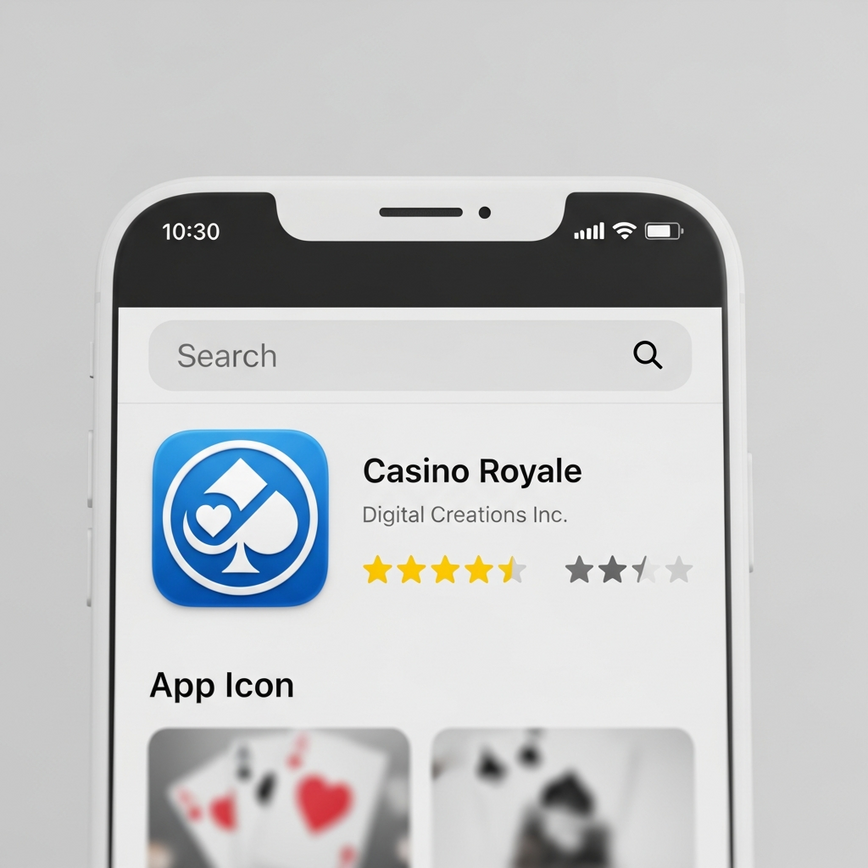
The single safest place to get an iOS app is the official Apple App Store, period. That’s because Apple has a very strict review process that acts as a powerful security filter, blocking most malicious apps before they ever get listed.
iOS Download Process:
- Open the official Apple App Store on your device.
- Search for the exact casino name—and avoid using third‑party links from websites or emails.
- Verify the developer name matches the licensed operator. A fake app might have a similar name but a different, unknown developer.
- Check the app’s ratings and recent reviews. Look for any comments about security issues or withdrawal problems.
- Confirm the app size matches the official specifications listed on their site. A tiny app size for a complex casino game could be a red flag.
Security Verification Steps:
- The developer profile should show clear company registration details.
- The app description must include its licensing information.
- Screenshots should perfectly match the official website’s design and branding.
- The version history should show regular security updates. Legitimate apps are updated frequently to fix bugs and improve security.
3. Review App Permissions
When you install an iOS casino app, it will typically request a set of permissions. We recommend granting only what is absolutely essential. Think of this as giving out keys to your house—only give out the ones that are necessary.
| Permission Type | Purpose | Security Risk |
|---|---|---|
| Camera Access | ID verification, deposit slips. This is needed for the “Know Your Customer” (KYC) process to prevent fraud. | Low (controlled access) |
| Location Services | Geo-compliance, bonus offers. This confirms you are playing from a region where it is legally allowed. | Medium (privacy concern) |
| Notifications | Promotional alerts, security updates. Useful for bonuses, but can be turned off if you find it distracting. | Low (can be disabled) |
| Touch ID / Face ID | Secure login authentication. This is a highly secure way to protect your account from unauthorized access. | Low (local device only) |
| Network Access | Game connectivity, transactions. This is essential for the app to connect to the internet and function. | Essential (verify encryption) |
Permission Management:
- Start by granting only the essential permissions. You can always grant more later if a feature requires it.
- Regularly review and modify permissions in your phone’s Settings > Privacy section.
- Disable location services if you don’t need them for specific bonuses.
- Always enable biometric authentication for enhanced security—and definitely enable two-factor authentication whenever it’s available. This adds a second layer of security, like a password and a key, making it much harder for someone to break in.
4. Complete Secure Installation
- Let the installation process complete fully without interruption.
- Try to avoid switching apps or letting your phone sleep during the installation.
- Double-check that the app icon matches the official branding. Scammers often use slightly altered logos to trick you.
- Launch the app and watch for any SSL certificate warnings. A warning could mean your connection isn’t secure.
- Log in using your existing account credentials.
Step-by-Step Guide: Android Casino App Download
1. Enable Security Settings
Before you start looking for casino apps on Android, it’s crucial to configure your security settings correctly:
- Keep “Unknown Sources” disabled in your settings. You should only install from the Google Play Store. Enabling this setting allows you to install apps from anywhere, which is like leaving your front door unlocked. It’s the #1 way malicious software gets onto Android devices.
- Enable “Verify Apps” / Google Play Protect for an extra layer of protection. This is Google’s built-in malware scanner for Android.
- Keep both Google Play Protect and your device’s OS updated. These updates often contain critical security patches.
2. Google Play Store Download Process
- Open the Google Play Store (and never, ever use APK files from untrusted sources). An APK file is the raw installation file for an Android app. Getting it from a random site is extremely risky.
- Search for the licensed casino operator by its official name.
- Verify the developer name and company details listed on the app page.
- Check the required casino app permissions android ios before you even hit the install button. Android shows you what the app wants to access upfront.
- Read recent reviews, specifically looking for any mentions of security issues.
Red Flags to Avoid:
- Apps asking for SMS access without a clear purpose. This could be used to intercept security codes sent from your bank.
- Excessive permission requests, like access to your contacts or call logs. A casino app has no legitimate reason to read your contact list.
- Developer names that don’t quite match the official casino brand.
- Apps with terrible ratings or a lot of security complaints in the reviews.
3. Android Permission Management
| Permission Category | Required Functions | Security Level |
|---|---|---|
| Storage Access | Game downloads, cache management. The app needs this to save game data and updates on your phone. | Medium |
| Network Communication | Secure transactions, live games. This is the basic internet access the app needs to work. | Essential |
| Device Information | Compatibility checks, fraud prevention. This allows the app to identify your device model and OS version, not your personal data. | Low |
| Camera / Microphone | KYC verification, live dealer games. The microphone may be needed to chat with live dealers. | Medium |
| Location Services | Regulatory compliance. Ensures you are playing within a legally permitted jurisdiction. | Optional |
Permission Best Practices:
- Take a moment to review all permissions before accepting. Don’t just blindly click “Accept All.”
- Use the “While Using App” option for location services whenever possible. This ensures the app isn’t tracking you when it’s closed.
- Deny unnecessary permissions like access to your contacts or SMS messages.
- Periodically monitor permission usage in your Android settings to see what your apps are up to.
4. Post-Installation Security Check
- Verify the app’s certificate through Settings > Apps.
- Make sure automatic updates are enabled for the app. This ensures you always have the latest security patches.
- Test the login functionality while connected to a secure, private Wi-Fi network.
- Confirm that the banking integration works with verified and trusted payment methods.
- Check for and enable any app-specific security features, like a PIN lock.
Verifying Casino App Authenticity
Official App Identification
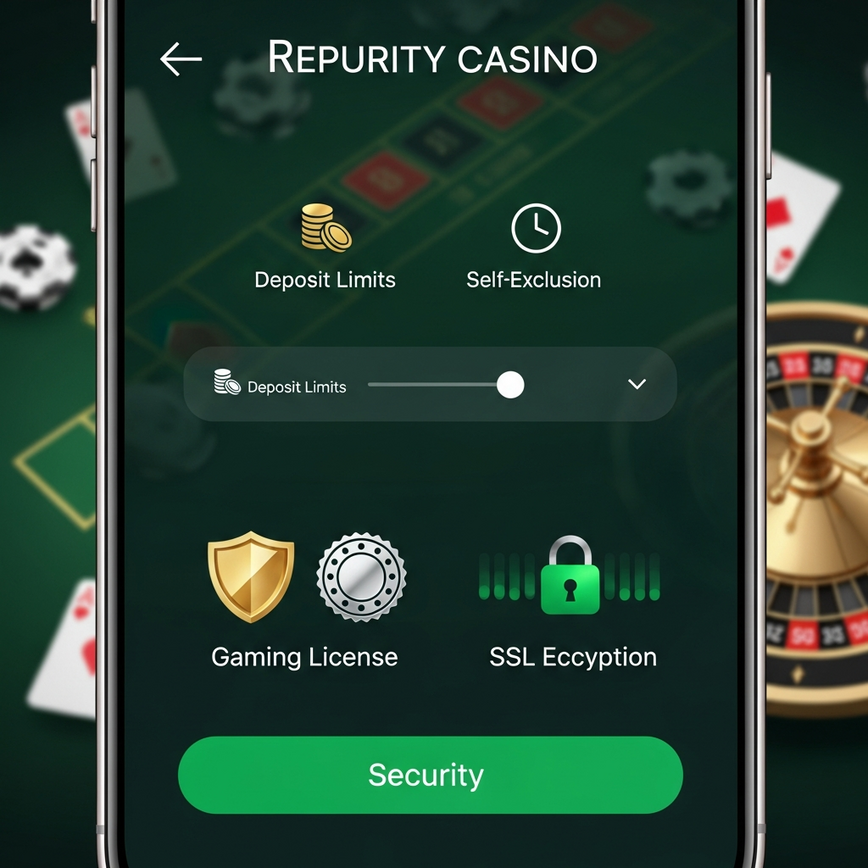
Authentic casino apps have specific security markers you can look for. We check both visual and technical signals. Think of it like identifying a genuine luxury product; you look for quality and official markings.
Visual Verification
- It has the official logo and consistent branding that matches the website.
- The app design looks professional. Fake apps often look cheap or have a clumsy, buggy user interface.
- You see correct spelling and grammar throughout the app. Reputable companies rarely make basic spelling mistakes.
- The graphics are high-quality and the app runs smoothly.
Technical Verification
- SSL certificate validation upon login. An SSL certificate creates a secure, encrypted connection. In other words, it’s like sending your login details in a locked, tamper-proof box.
- Secure payment gateway integration. The app should use well-known, trusted payment processors, not some sketchy, unknown service.
- It provides official customer support contact methods that match the website.
- Game data syncs in real-time with your account.
License and Certification Checks
Before you start using any casino app, we recommend you verify these credentials:
- The gaming license should be clearly displayed in the app’s footer or “About” section.
- The terms and conditions should link to official, verifiable documents.
- Responsible gaming tools and self-exclusion options must be available. Legitimate operators are required to provide tools like deposit limits or the ability to temporarily lock your account. The absence of these is a major red flag.
- There should be clear procedures for resolving disputes.
Security Certifications:
- Look for independent fair gaming certifications (e.g., eCOGRA).
- Check for SSL encryption indicators and secure payment audits.
- See if they provide third-party security audit summaries.
- Read their data protection compliance statements.
We maintain all required certifications and undergo regular security audits to ensure our players are protected and we remain in full regulatory compliance.
App Permission Security Checklist
Essential Permissions Only
It’s okay to grant these permissions, as they are needed for legitimate casino app functionality:
- Network access for game connectivity. (The app needs internet to work).
- Storage for app data and game cache. (The app needs to save files to your phone).
- Camera for identity verification (KYC). (To prove you are who you say you are).
- Biometric authentication for secure login. (Using your fingerprint or face is much safer than just a password).
Optional Permissions
- Location services for geo-compliance. (To confirm you’re in a valid region).
- Notifications for promotional offers. (For bonus alerts, can be turned off).
- Microphone for live dealer interaction. (Only if you want to talk in live games).
Dangerous Permissions to Avoid
You should never grant these permissions to casino apps. A legitimate casino app will never ask for these:
- SMS reading/sending capabilities. What this means for you: A malicious app could read the two-factor authentication codes your bank sends you via SMS.
- Contact list access. What this means for you: The app could spam your friends and family or sell their contact information.
- Call log access. What this means for you: This is a massive privacy invasion with no legitimate purpose for a casino app.
- Device administrator privileges or system-level modifications. What this means for you: This gives the app total control over your phone, allowing it to install other malware or prevent you from uninstalling it.
Privacy Concerns:
- Continuous location tracking when the app is closed.
- The microphone recording in the background.
- Camera access without you initiating it.
- Access to see what other applications you have installed.
Common Download Security Mistakes
Avoiding Fraudulent Apps
Malaysian players commonly run into these security risks. We advise you to always check for these signs of a fake app:
- Misspelled names or slightly altered logos (e.g., “1Bet” instead of “iBET”).
- Requests for you to pay money just to download the app. Legitimate apps are always free to download.
- No visible licensing information anywhere in the app or on the store page.
- Excessive permission requests (like the dangerous ones we listed above).
- Poor app store ratings and a flood of negative reviews.
Phishing Attempts
Phishing is when scammers try to trick you into giving them your personal information. In the context of casino apps, this could be:
- Apps asking for your banking passwords or full card details. A real casino uses a secure payment gateway; it never asks for your bank password directly.
- Fake customer support contact methods that lead you to a scammer.
- Suspicious bonus offers that require you to enter a lot of personal data to claim them.
- Links to external, unverified payment processors you’ve never heard of.
APK File Dangers
Let’s be clear: never download casino APK files from unofficial sources. An APK is an Android installation file. Downloading one from a website or a messaging app is like inviting a complete stranger into your house without checking their ID—it bypasses all of Google’s security checks. We refuse to recommend APK sources because they commonly introduce:
- Malware and virus infections.
- Banking credential theft.
- Unauthorized data collection from your phone.
- No security updates or patches, leaving you permanently vulnerable to new threats.
- A direct violation of app store security protocols.
Legal Implications:
- You could potentially violate Malaysian gaming laws.
- You have no regulatory protection for disputes with these unlicensed providers.
- You risk having your account terminated without warning.
- You could face possible legal action from authorities.
Secure App Usage Best Practices
Account Security Management
Once the app is safely installed, we recommend you implement these security measures:
- Use strong, unique passwords and consider using a reputable password manager. Don’t reuse the same password you use for your email or social media.
- Enable two-factor authentication whenever it’s offered. In other words, this requires both your password and a code from your phone to log in, like having two different locks on your front door.
- Set up biometric login (fingerprint/face recognition) if your device supports it.
- Always log out completely after each session and monitor your account activity regularly for any strange behavior.
Financial Protection
- Set deposit limits within the app. This is a key responsible gaming feature that helps you manage your budget and not spend more than you intend.
- Only use payment methods that you know and trust.
- Enable transaction notifications so you’re alerted to all deposits and withdrawals.
- Review the operator’s withdrawal policies and typical timeframes.
- Keep your banking information updated and properly verified with the operator.
Regular Security Maintenance
Keeping your app secure is an ongoing process. We follow and recommend these practices:
- Enable automatic app updates and install security patches as soon as they’re available.
- Review app permissions after major updates, as sometimes an update will request new permissions.
- Check for new security features within the app and enable them.
- Always use secure networks for gaming sessions and avoid using public Wi‑Fi for any financial transactions. Public Wi-Fi is often unencrypted, meaning others could potentially see your data.
Getting Help with App Security Issues
If you ever run into security concerns with casino app downloads, we provide comprehensive support through multiple channels. We maintain 24/7 customer service with average response times under 2 minutes for security-related inquiries (based on our support logs). What that means for you is that if you have an urgent security question at 3 AM, a real person is there to help you immediately.
For immediate assistance with app security, download verification, or any technical issues, please contact our certified support team through the official iBET Malaysia platform, where you can access live chat, email support, and other security resources.
Our experienced team has processed over 500,000 secure transactions (internal records) and can provide you with personalized guidance on how to download casino app malaysia safely. We prioritize player security through continuous monitoring, regular security updates, and transparent communication about potential risks and the best protective measures.
Remember: legitimate casino operators will never ask for sensitive information through unofficial channels or pressure you into making immediate downloads. Always take the time to verify authenticity through official sources and review all security features before you install.



Leave a Reply
Want to join the discussion?Feel free to contribute!