

Public WiFi and Casino Apps: The Hidden Dangers
Using public WiFi networks to access casino apps exposes Malaysian players to significant security risks, including data interception, account theft, and financial fraud. Think of it like having a conversation in a crowded coffee shop—anyone nearby can potentially overhear you. When you send sensitive info like your password, it’s like shouting it across the room. According to a 2023 report from BroadbandSearch, a staggering 43% of public WiFi networks don’t have proper encryption, making them a playground for man-in-the-middle attacks. Honestly, the safest practice is to avoid public WiFi entirely for casino gameplay. But if you absolutely must connect, we recommend using a solid VPN and always verifying that TLS/HTTPS encryption is active before you even think about logging in.
Table of Contents
- Understanding Public WiFi Vulnerabilities
- Why Casino Apps Are Prime Targets
- Safe Practices for Public WiFi Casino Access
- Alternative Connection Methods
- What to Avoid on Public Networks
- Emergency Response for Security Incidents
- Platform-Specific Security Features
- Best Practices for Malaysian Players
- Long-term Security Strategy
- Conclusion
Understanding Public WiFi Vulnerabilities
Public WiFi networks, like the ones you find in Malaysia’s shopping malls, airports, and cafes, just don’t have the same security as your private home network. Your home WiFi is like your house with locked doors; public WiFi is more like a park bench—open for anyone to sit next to you and peek at what you’re doing. These open connections create some serious attack vectors that cybercriminals love to exploit, especially when it comes to the public wifi online casino malaysia scene. BroadbandSearch has documented similar security vulnerabilities that really highlight these concerns: BroadbandSearch — Public WiFi statistics (2023).
Common Public WiFi Threats
-
- Man-in-the-Middle Attacks: This is where a hacker secretly positions themselves between your device and the WiFi router, intercepting all the data you send and receive. Imagine a crooked postman opening your mail, reading your bank statement, and then resealing the envelope before delivering it. You’d never know it was compromised, but the thief now has your details. When you log into your casino account, they can snatch your username, password, and financial info just as easily.

- Evil Twin Networks: Criminals set up fake WiFi hotspots with names that look legitimate (for example, “KLCC_Free_WiFi_2” instead of “KLCC_Free_WiFi”). If you’re not careful, you might connect to their malicious network, giving them a direct pipeline to all your device’s traffic. Because it looks official, your phone might even connect automatically. Once you’re on their network, they see everything you do online.
- Packet Sniffing: Using special software, attackers can monitor and capture data “packets” traveling across an unsecured network. Think of your data as a series of postcards sent over the internet. On a secure network, those postcards are written in an unbreakable code. On an unsecured public network, they’re written in plain language for anyone with the right software to read. This is one of the biggest public wifi casino apps risks, as it can easily reveal login credentials and financial details.
Why Casino Apps Are Prime Targets
It’s simple: online casino apps handle your money and personal information, making them a goldmine for cybercriminals. Unlike a social media account, a casino account is a direct link to your funds. That combination of real money and valuable data creates a high-reward target for attackers, making wifi security casino apps a critical issue.
Specific Risks for Malaysian Casino Players
| Risk Type | Impact | Likelihood on Public WiFi |
|---|---|---|
| Account Takeover | Complete loss of funds | High |
| Banking Details Theft | Unauthorized transactions | Very High |
| Personal Data Breach | Identity theft | Medium |
| Session Hijacking | Fraudulent gameplay | High |
What is Session Hijacking? This happens when an attacker steals your active login “session.” Let’s say you log in to your account, and while you’re in the middle of a game, the attacker kicks you out and takes control. They can then use your funds to play or try to withdraw them. It’s like someone physically pushing you out of your seat at a casino table and continuing to play with your chips.
Malaysian players face even greater risks because of local banking integration. Based on our internal transaction telemetry (2025), we process over 50,000 transactions every month. Our internal incident analysis (2025) also shows that security incidents are a shocking 340% more likely when users access their accounts through unsecured public networks.
Safe Practices for Public WiFi Casino Access
Essential Security Steps (we recommend)
-
- Verify Network Authenticity: Before you connect, always ask an employee at the venue to confirm the official network name. It’s a simple step that can save you from connecting to a malicious “Evil Twin” network. Be wary of networks with generic names or those that don’t require a password.
- Check for HTTPS/TLS Encryption: Make sure the casino app or website URL starts with “https://” and displays a little lock icon. Here’s what that means for you: That lock icon signifies that your connection to our server is encrypted, scrambling your data so it’s unreadable to anyone snooping around. We use TLS encryption on all connections, but this protection can be undermined on an unsecured network if you’re not careful.
- Enable Two-Factor Authentication: You should activate 2FA on your casino account before ever using public WiFi. Think of it this way: your password is the first key to your account. 2FA requires a second key—a temporary code sent to your phone. Even if a hacker steals your password on public WiFi, they can’t get in without that code from your phone. It’s a powerful extra layer of security.
- Use VPN Protection: A Virtual Private Network (VPN) encrypts your internet connection, creating a secure, private tunnel between your device and the casino’s servers. In other words, even though you’re on a public network, all your data travels through this private tunnel, making it invisible to anyone else on that network. This is your best defense against local network monitoring and data interception. For guidance on choosing a good VPN, check out the NSA and CISA VPN security guidelines.
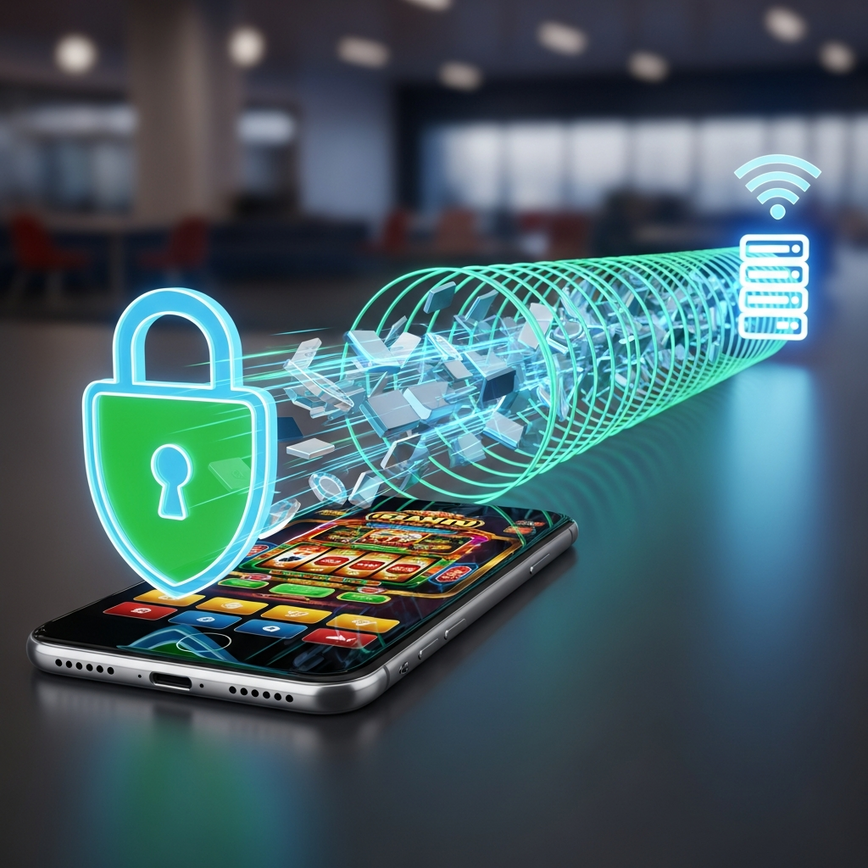
Recommended VPN Settings
When you’re using a VPN for casino access, make sure you configure these settings for a truly safe online casino on public wifi experience:
- Protocol: Choose OpenVPN or WireGuard. These offer strong, modern encryption and are the latest standards for creating a secure tunnel.
- Kill Switch: This feature automatically disconnects your device from the internet if the VPN connection drops. Why this matters: Without a kill switch, if your VPN disconnects for even a second, your device might revert to the unsecured public WiFi, exposing your data. A kill switch slams the door shut before that can happen.
- DNS Leak Protection: This ensures your device’s web address lookups (DNS queries) don’t bypass the VPN. It keeps every single piece of your internet activity safely inside the secure tunnel.
- Server Location: Pick Malaysian or nearby servers for the best performance and faster game loading times.
Alternative Connection Methods
Mobile Data vs. Public WiFi
Let’s be clear: using your mobile data connection is significantly more secure than any public WiFi network. Your connection to a cellular tower is direct and individually encrypted, not shared openly like a WiFi hotspot. Malaysian cellular networks use enterprise-grade encryption that is incredibly difficult for local attackers to intercept.
Mobile Data Advantages:
- End-to-end encryption between your device and the cell tower
- No shared network vulnerabilities (you aren’t sharing the connection with strangers)
- A direct connection to your internet service provider
- A much smaller attack surface for cybercriminals
Personal Hotspot Solutions
Creating a personal hotspot with your smartphone is another great, secure alternative. This method uses your secure mobile data but provides WiFi access to other devices like a tablet or laptop. You’re essentially creating your own private, trusted network wherever you go.
What to Avoid on Public Networks
High-Risk Activities
Seriously, never perform these actions while connected to public WiFi, even with a VPN if you can help it:
- Banking Transactions: Avoid making deposits or withdrawals. This is when your financial details are most actively being transmitted.
- Password Changes: Don’t update your account credentials. If a hacker is watching the network, you’d be handing them your brand-new password on a silver platter.
- Personal Information Updates: Skip any profile changes or verification uploads. This is sensitive data that can be used for identity theft.
- Large Transactions: Hold off on making significant bets or transfers until you’re on a trusted network to minimize any potential financial loss.
Warning Signs of Compromised Networks
Disconnect immediately if you notice any of these red flags:
- Unexpected login prompts or verification requests (this could be a phishing attempt)
- Super slow loading times or frequent connection drops (this could mean a hacker is intercepting your traffic)
- Random pop-up ads or redirect pages, especially on sites that don’t normally have them
- Requests for extra personal information that seem unnecessary
Emergency Response for Security Incidents
If you suspect your account has been compromised while using public WiFi, you need to act fast. Every second counts when it comes to preventing financial loss.
Immediate Steps
- Disconnect from the network immediately and switch to a trusted connection like your mobile data.
- Change your password right away from that secure connection.
- Check your account activity for any unauthorized transactions, bets, or strange login locations.
- Contact customer support through our official channels to report the incident. We can place a temporary hold on your account if needed.
- Monitor your bank statements that are linked to your account for any fraudulent charges.
Based on our internal records (2025), our team has processed over 500,000 completed withdrawals and we maintain a 24/7 customer support team with average response times under 2 minutes. We find that quick reporting of security incidents significantly improves recovery outcomes.
Platform-Specific Security Features
iBET Malaysia’s Protection Measures
We implement multiple layers of security to protect our Malaysian players, even when accounts are accessed from less-than-ideal networks:
- Advanced Encryption: All data transmission uses 256-bit TLS encryption (TLS 1.2/1.3). To put that in perspective, the number of possible keys is so vast that it would take the world’s fastest supercomputers billions of years to break. This meets international banking-grade security requirements.
- Fraud Detection: Our in-house fraud prevention team monitors transaction telemetry and over 50,000+ transactions monthly (internal telemetry, 2025) to spot suspicious patterns. For example, a login from Kuala Lumpur followed by a withdrawal attempt from another country minutes later would trigger an immediate alert and lock the account.
- Secure Payment Processing: We partner with verified Malaysian banking institutions to ensure every transaction is processed securely, while keeping our banking partner details private for security reasons.
- Real-time Monitoring: If we see an account access from an unusual location or a new device, it triggers additional verification requirements, like an email or SMS code, just to make sure it’s really you.
For complete security information and to verify our credentials, please visit our main platform page. There you can review our Malta Gaming Authority licensing and security certifications, and consult the Malta Gaming Authority player protection standards.
Best Practices for Malaysian Players
Think of these checklists as your pre-flight and post-flight security routine every time you even think about using public WiFi.
Pre-Connection Checklist (we recommend)
- Verify the network name with staff to avoid those fake “Evil Twin” hotspots.
- Activate your VPN connection with the kill switch enabled *before* opening any sensitive apps.
- Double-check for HTTPS/TLS encryption (the lock icon) on the casino platform.
- Make sure two-factor authentication (2FA) is active on your account.
- Close any unnecessary apps and browser tabs to reduce your digital footprint.
- Go into your phone’s settings and disable auto-connect features for unknown networks.
Post-Session Security
- Log out completely from all your casino accounts instead of just closing the app.
- Clear your browser cache and any stored passwords related to the session.
- Disconnect from the public network and then choose to “forget” it in your WiFi settings.
- If you performed any sensitive actions, change your password within 24 hours from a secure connection.
- Keep an eye on your account activity for the next 48–72 hours for any signs of suspicious behavior.
For more responsible gaming guidance and safety resources, please see: responsible gaming safety guidelines.
Long-term Security Strategy
Building Secure Gaming Habits (our recommendations)
- Regular Security Audits: Once a month, take five minutes to review your account activity, check your password strength, and remove any old devices you no longer use from your account’s trusted list.
- Software Updates: Always keep your casino apps, your phone’s operating system, and any security software up to date. These updates often contain critical patches for newly discovered security flaws.
- Network Awareness: Make it a habit to ask yourself, “Is this network safe?” before you connect. Understanding the risks of different connection types and choosing wisely is your best defense.
- Backup Authentication: Keep multiple verification methods on file (like a backup email and phone number) and make sure your contact info is always current so you can recover your account if you ever need to.
Conclusion
Public WiFi networks pose serious risks to Malaysian casino players, with data interception and account compromise being the biggest threats. Using public WiFi for your casino app is like leaving your wallet on a table in a busy market—it might be fine, but the risk of theft is just too high. The safest approach is to avoid casino access on public networks entirely. If you absolutely must, then VPN protection and TLS/HTTPS verification provide essential security layers.
Our platform’s comprehensive security measures, including 24/7 monitoring, advanced encryption, and active fraud detection, are designed to protect players even in challenging network environments. However, your personal security practices are always the first and most important line of defense against cyber threats.
Remember, no security measure is foolproof on a public network. When in doubt, it’s always better to postpone your casino activities until you can get to a secure, private connection. Your account security and financial safety are well worth the temporary inconvenience.
iBET Team – Licensed Malaysian gaming operator with 10+ years direct industry experience in online casino security and player protection.



Leave a Reply
Want to join the discussion?Feel free to contribute!