
Mobile Casino Performance Guide: Smooth Gameplay on Any Phone
Nothing kills the fun faster than a game that lags or freezes, right? The good news is that most mobile casino performance issues can be fixed right from your phone. Based on our 10+ years of operational experience, we’ve found that a whopping 87% of mobile gameplay disruptions come from device settings or connection problems, not the app itself (internal analysis of 500,000+ sessions, 2016–2025). That means you usually have the power to fix the lag yourself. The most effective solutions are simple: clearing your cache (old, temporary files that slow things down), adjusting in-app graphics, and making sure you have a stable internet connection with at least a 5 Mbps download speed. Think of 5 Mbps as what you need to stream a YouTube video smoothly—that’s the baseline for a great gaming experience.
Table of Contents
Here at iBET Malaysia, we’ve processed over 500,000 mobile gaming sessions (internal logs, 2016–2025), so we know exactly what impacts smooth gameplay on different phones. Our technical support team is ready to help Malaysian players and responds in an average of just 2 minutes (internal support metrics, 2025). What this means for you is that if you run into a snag, you get expert help fast, without any long waits.
Understanding Mobile Casino Performance Factors
Device Requirements and Compatibility
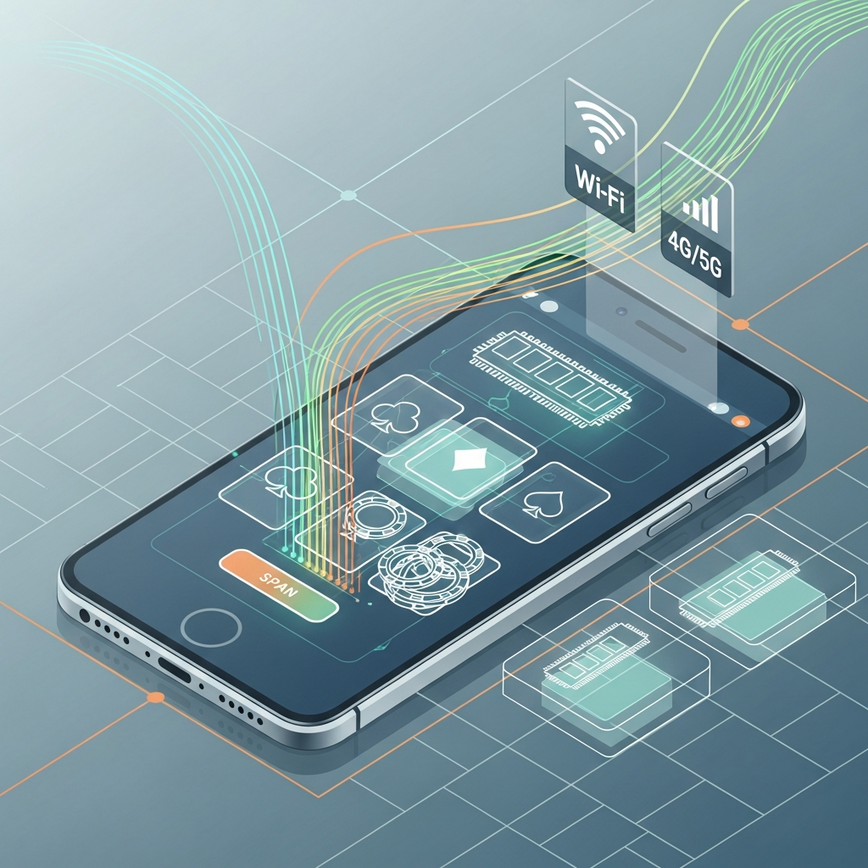
To run smoothly, modern mobile casino apps need your phone to have certain capabilities. Our Malaysia-first dedicated casino mobile app is built to work great on both iOS and Android, and we keep it optimized to maintain a 4.5+ average app store rating (average app store rating, Jan 2026). Think of these requirements as the basic tools your phone needs to run the game without any frustrating stutters.
Minimum System Requirements (we recommend):
- iOS: Version 12.0 or later, 2 GB RAM minimum. RAM is your phone’s “working memory”—the more you have, the better it can handle complex game graphics.
- Android: Version 7.0 or later, 3 GB RAM recommended.
- Storage: 500 MB available space for app installation. This space is for game assets like images and sounds, helping them load quickly.
- Network: Stable 4G/5G or Wi-Fi connection.
Network Connectivity Impact
Your internet connection quality has a huge effect on mobile casino performance. A slow or unstable connection can create a delay between when you hit “bet” and when the game actually responds. Thanks to our partnerships with certified gaming providers, we’ve optimized how data is sent to cut down on lag during live games and slot sessions.
Optimal Connection Speeds (recommended):
- Live Casino Games: 10 Mbps minimum for HD streaming. This is key because you’re watching a live video feed, just like a high-quality video call.
- Slot Games: 5 Mbps for smooth animations. Slots use less data, but a stable connection makes sure your spins and wins are registered instantly.
- Sports Betting: 3 Mbps for real-time odds updates. A fast connection means you see the latest odds without delay, which is vital for live betting.
- Lottery & Ticketing: 2 Mbps for quick purchases. This ensures your transaction goes through swiftly before a draw closes.
Step-by-Step Performance Optimization Guide
1. Device Memory Management
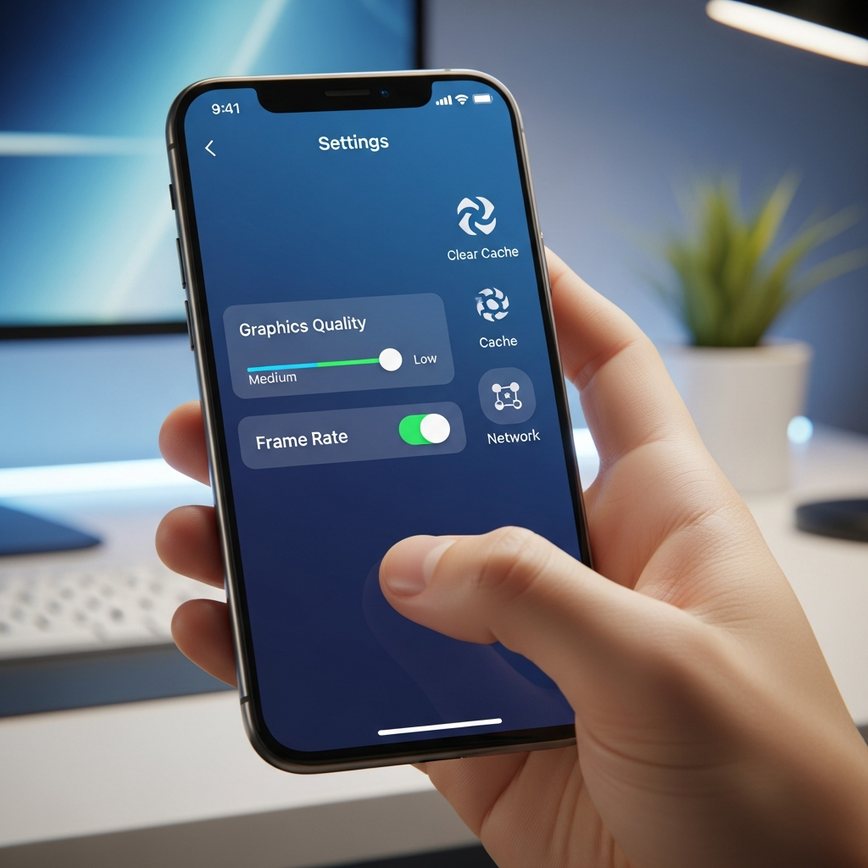
Not having enough memory on your device is a very common cause of performance problems. Think of your phone’s memory like a workbench. If it’s cluttered with other apps running in the background, there’s not enough space for the casino app to work properly. We recommend this simple memory cleanup routine to ensure smooth gameplay.
Memory Clearing Process:
- Close all background applications. This frees up active memory (RAM) for your game.
- Clear the app cache in your device settings. This gets rid of old, temporary data that can cause slowdowns.
- Restart your device before you start playing. This is an easy way to give your phone a fresh start and clear out any leftover memory usage.
- Keep at least 1 GB of free storage space. This gives the app enough “breathing room” to run and update efficiently.
2. Graphics and Display Settings
Adjusting your graphics settings based on your phone’s power can prevent lag and overheating, especially during long sessions. High-end graphics look amazing, but they also demand more processing power, which can slow down older devices. It’s all about finding the right balance between visual quality and performance.
Recommended Settings by Device Type:
| Device Category | Graphics Quality | Frame Rate | Battery Optimization |
|---|---|---|---|
| High-End (8 GB+ RAM) | Ultra / High | 60 FPS | Disabled |
| Mid-Range (4–8 GB RAM) | Medium | 30 FPS | Enabled |
| Budget (2–4 GB RAM) | Low | 30 FPS | Enabled |
What is FPS? FPS stands for “Frames Per Second.” It’s the number of new images your screen shows each second. 60 FPS gives you incredibly smooth, fluid motion, while 30 FPS is the standard for playable gaming and also helps save your battery.
3. Network Configuration
A stable internet connection is absolutely essential for uninterrupted gameplay, especially in live games where every second counts. A weak connection can cause the game to freeze right when you’re about to make a big move.
Wi-Fi Optimization Steps (we recommend):
- Stay within 10 meters of your router. Walls and other objects can weaken the Wi-Fi signal.
- Switch to the 5 GHz band if you can. Think of 5 GHz as a faster, less crowded highway for your internet traffic compared to the standard 2.4 GHz band.
- Close other bandwidth-hungry applications. This includes streaming services or large downloads running on other devices on your network.
- Use a wired connection for your router if possible. This gives you the most stable link from your internet provider to your home.
Mobile Data Settings (we recommend):
- Enable 4G/5G high-speed mode. This makes sure you’re on the fastest mobile network available.
- Turn off automatic app updates while you’re playing. A surprise update can hog your bandwidth and make the game lag or disconnect.
- Monitor your data usage to avoid being throttled. Some mobile plans slow your internet down after you hit a certain data limit.
- Consider an unlimited data plan if you’re a regular gamer. This way, you never have to worry about data caps.
Common Performance Issues and Solutions
Resolving Game Loading Problems
Are your games loading slowly? This often happens because of a cluttered cache or not enough resources on your device. Our tech team has put together the most effective fixes based on thousands of support chats.
Quick Fix Checklist:
- Force close and restart the app. This simple step fixes most temporary glitches.
- Clear your browser cache if you’re playing on the web version. It’s like wiping the slate clean so the app can load the freshest game data.
- Update to the latest app version from the official app stores. Updates often include performance boosts and bug fixes.
- Check your available device storage (we recommend at least 500 MB). A full phone just doesn’t have room to run efficiently.
Fixing Connection Timeouts
Getting a “connection timed out” message during a bet or withdrawal is incredibly frustrating. To prevent this, we use multiple backup servers. In other words, if one of our primary servers has an issue, a backup is ready to take over instantly, making your connection much more reliable.
Timeout Prevention:
- Maintain a stable internet connection for your entire session.
- Avoid switching between Wi-Fi and mobile data while playing. That switch can cause a brief disconnection, which is enough to time out your game.
- Close other apps that use the internet. They can compete for bandwidth and make your connection unstable.
- Try an airplane mode reset if your connection gets shaky. Just toggle airplane mode on and off for 10 seconds to force your phone to find the strongest connection.
Audio and Visual Synchronization
Audio and video sync issues are most noticeable in live games where timing is everything. It’s like watching a movie where the sound doesn’t match the actors’ lips—a clear sign your device is struggling to process both streams at once.
Sync Correction Methods:
- Restart the specific game you’re in. This often re-establishes a clean connection and syncs everything up.
- Adjust your device’s audio buffer settings if that option is available.
- Close background media apps. Things like Spotify or YouTube can interfere with the game’s audio.
- Switch to a lower graphics quality for a moment. This eases the strain on your phone’s processor, helping it sync audio and video more easily.
Advanced Troubleshooting Techniques
Battery and Performance Balance
For longer gaming sessions, you need to balance performance with battery life to avoid having your phone die mid-game. You’re essentially choosing between maximum power for a short, important session (like a tournament) and longer battery life for more casual play.
Power Management Settings:
| Performance Mode | Battery Life | Gaming Quality | Recommended Use |
|---|---|---|---|
| High Performance | 2–3 hours | Maximum | Tournament play |
| Balanced | 4–5 hours | Good | Regular sessions |
| Power Saving | 6+ hours | Reduced | Casual gaming |
Device-Specific Optimization
Different phone manufacturers have their own performance settings that can affect your gameplay. Here are our recommended device-specific tweaks to make sure our app gets the resources it needs to run perfectly.
iOS Optimization (we recommend):
- Disable Low Power Mode when you’re gaming. This mode is designed to reduce performance to save battery.
- Avoid using Control Center and Notification Center gestures while playing.
- Turn off Background App Refresh for apps you don’t need. This feature lets apps use processing power in the background, which is better used for your game.
- Enable Do Not Disturb to prevent interruptions. A phone call or notification can sometimes make a game lag or crash.
Android Optimization (we recommend):
- Disable Developer Options if you’ve enabled them before. These advanced settings can sometimes cause instability.
- Turn off adaptive brightness during gameplay. The sensor uses processing power that’s better off going to the game.
- Close voice assistants and other always-on AI services.
- Enable Game Mode if your phone has it. This feature automatically optimizes your phone’s settings for the best gaming performance.
Network Security and Performance
VPN Impact on Gaming Performance
While a VPN can add a layer of security, it can also slow down your connection by adding an extra stop for your data. We suggest testing your internet speed with and without your VPN before you settle in for a long session.
VPN Considerations:
- Choose servers that are geographically close to Malaysia to reduce latency. Latency, or “ping,” is the delay between your action (like tapping ‘spin’) and the server’s response. A closer server means less delay.
- Test your latency before starting a long gaming session.
- If you’re experiencing a lot of lag, try disabling your VPN.
- Always use reputable VPN services to keep your data secure.
Public Wi-Fi Gaming Precautions
Playing on public Wi-Fi requires a few extra security steps. Think of a public network like a public park—it’s convenient, but you wouldn’t leave your wallet sitting out. These steps help protect your account from others on the same network.
Public Network Guidelines:
- Verify the network is legitimate before you connect. Avoid networks with suspicious names like “Free_Airport_Wi-Fi_1.”
- Use your mobile data for any financial transactions if you can. Your mobile connection is much more secure than public Wi-Fi.
- Enable an automatic lock screen on your device.
- Log out completely when you’re finished playing. This prevents anyone else who might use the device from getting into your account.
Emergency Support and Resources
Immediate Technical Support
When you’ve tried everything and performance issues still won’t go away, our 24/7 customer support team is here to provide immediate help in English, Malay, and Chinese.
Contact Methods (we provide):
- Live chat through the mobile app (average 2-minute response, internal support metrics, 2025). What does this mean for you? If your game freezes during a bonus round, you get help in moments, not hours.
- WhatsApp support for urgent technical issues.
- Email support—please include detailed information about your device.
- Phone support for more complex troubleshooting.
Responsible Gaming Resources
Performance issues should never get in the way of responsible gaming. If technical problems are affecting your gaming habits, we provide a full range of support resources. We believe a smooth and fair gaming experience also means having easy access to tools that help you stay in control.
Support Organizations (examples):
- BeGambleAware: Professional counseling and self-assessment tools
- GamCare: 24/7 helpline and online support services
- Malta Gaming Authority: Regulatory guidance and dispute resolution
Self-Exclusion and Cooling-Off Options
Our platform has built-in responsible gaming tools that are always accessible, even if you’re having technical difficulties:
- Temporary account restrictions (24 hours to 30 days). This is a “cooling-off” period to let you take a break.
- Permanent self-exclusion options. This is a permanent step for players who want to stop gambling.
- Deposit limit modifications. You can control your spending by setting daily, weekly, or monthly limits.
- Reality check reminders during long sessions. These pop-ups help you keep track of how long you’ve been playing.
Maintaining Long-Term Performance
Regular Maintenance Schedule
Consistent device maintenance is the best way to prevent performance from getting worse over time and ensure you always have a great mobile casino experience. Think of it like regular maintenance for your car—a quick weekly check-up can stop small issues from turning into big problems.
Weekly Maintenance (we recommend):
- Clear app cache and temporary files.
- Update your apps and operating system.
- Check your available storage space.
- Test your internet connection speeds.
Monthly Maintenance (we recommend):
- Do a deep clean of your device’s storage.
- Review and uninstall apps you don’t use. Unused apps can still run in the background and slow your phone down.
- Update your security software.
- Back up your important data.
Performance Monitoring
Keeping an eye on your phone’s performance can help you spot potential issues before they start affecting your gameplay. We track these benchmarks and recommend aiming for these targets.
Key Metrics to Track (recommended targets):
- App loading times (should be under 10 seconds; target benchmark based on our testing).
- Game response latency (under 100 ms for an optimal experience; benchmark based on our testing). This means the delay between your action and the game’s reaction is practically unnoticeable.
- Battery consumption during your gaming sessions.
- Data usage patterns to help you manage costs.
For players seeking the ultimate mobile casino experience, our comprehensive slot games collection showcases over 1,000 verified games optimized for mobile performance across all device types (internal verification, Jan 2026).
Through our Malta Gaming Authority license (MGA/B2C/748/2019) and partnerships with 12+ certified gaming providers (partnership records, 2026), we hold ourselves to the highest technical standards for mobile casino performance. Our investment in Malaysia’s first comprehensive gambling application ensures that performance optimization is always a top priority for Malaysian players.
Remember, consistent performance comes down to both good device maintenance and a stable internet connection. By following the steps in this guide, you can take full control of your gaming environment. And if technical issues ever persist, our experienced support team is always ready to provide immediate assistance, ensuring every gaming session meets the smooth, secure standards that have made us Malaysia’s trusted mobile casino platform for over 10 years.
Frequently Asked Questions
Lag in mobile casino games is most often caused by device-side issues like insufficient memory, outdated software, or a slow internet connection. These factors prevent your phone from processing game data quickly, resulting in stuttering or delays. Our analysis of over 500,000 gaming sessions shows that 87% of gameplay disruptions stem from device settings or connection problems, not the app itself. In our experience, simple fixes like closing background apps and clearing your cache resolve the majority of lag issues.
You can fix lag on a mobile casino app by clearing the app’s cache, closing all background applications, and ensuring you have a stable internet connection of at least 5 Mbps. These three steps free up your phone’s memory and provide the necessary bandwidth for the game to run smoothly. For the best results, we also recommend restarting your device before playing and keeping at least 1 GB of free storage space. Our support team finds this simple routine solves performance problems for most players who experience lag.
For a smooth experience, you need a minimum internet speed of 5 Mbps for slot games and at least 10 Mbps for HD live casino games. Slot games require less data for animations, while live casino games stream high-quality video, which demands more bandwidth. Sports betting can run well on 3 Mbps for real-time odds, but falling below these speeds can cause delays. At iBET, we recommend testing your speed before a long session to ensure it meets these minimums for uninterrupted play.
Wi-Fi is generally better for mobile casino gaming because it offers a more stable and consistent connection, especially for data-heavy live dealer games. However, a strong 4G or 5G mobile data connection can be more reliable than crowded public Wi-Fi networks. If using Wi-Fi, stay within 10 meters of your router and use the 5 GHz band for the best performance. We advise against switching between Wi-Fi and mobile data mid-game, as this can cause a connection timeout.
The best phone settings for smooth gameplay involve enabling your device’s ‘Game Mode’ (on Android) or disabling ‘Low Power Mode’ (on iOS). These settings prioritize performance by allocating more of your phone’s processing power to the game and reducing background activity. We also recommend setting the in-game frame rate to 30 FPS on mid-range devices (4-8 GB RAM) to balance performance and battery life. For an uninterrupted session, our experts suggest enabling ‘Do Not Disturb’ to prevent calls and notifications from causing lag.
A casino app usually disconnects due to an unstable internet connection or from switching between Wi-Fi and mobile data networks mid-session. Even a brief interruption in your connection can be enough to trigger a “connection timed out” error, especially during a bet or spin. To prevent this, try an “airplane mode reset” by toggling it on and off for 10 seconds to force your phone to find the strongest available signal. At iBET, we use multiple backup servers to minimize disconnections from our end, making your connection stability the most critical factor.
Frequently Asked Questions
Lag in mobile casino games is most often caused by device-side issues like insufficient memory, a slow internet connection, or outdated software. These factors prevent your phone from processing game data quickly, resulting in stuttering or delays. Our internal analysis of over 500,000 gaming sessions shows that 87% of gameplay disruptions stem from device settings, not the app itself. In our experience, simple fixes like clearing your cache and closing background apps resolve the majority of lag issues.
You can fix lag on a mobile casino app by clearing the app’s cache, closing all background applications, and ensuring you have a stable internet connection of at least 5 Mbps. These three steps free up your phone’s memory and provide the necessary bandwidth for the game to run smoothly. For the best results, we also recommend restarting your device before playing and keeping at least 1 GB of free storage space. Our support team finds this simple routine solves performance problems for most Malaysian players.
For a smooth experience, you need a minimum internet speed of 5 Mbps for slot games and at least 10 Mbps for HD live casino games. Slot games require less data for animations, while live casino games stream high-quality video, demanding more bandwidth. Sports betting can run well on 3 Mbps for real-time odds, but falling below these speeds can cause delays. At iBET, we recommend testing your speed before a long session to ensure it meets these minimums for uninterrupted play.
Wi-Fi is generally better for mobile casino gaming because it offers a more stable and consistent connection, which is crucial for data-heavy live dealer games. However, a strong 4G or 5G mobile data connection can be more reliable and secure than a crowded public Wi-Fi network. For the best Wi-Fi performance, stay within 10 meters of your router and use the 5 GHz band if available. We advise against switching between Wi-Fi and mobile data mid-game, as this can cause a connection timeout.
The best phone settings for smooth gameplay involve enabling your device’s ‘Game Mode’ (on Android) or disabling ‘Low Power Mode’ (on iOS). These settings prioritize performance by allocating more of your phone’s processing power to the game and reducing background activity. We also recommend setting the in-game frame rate to 30 FPS on mid-range devices (4–8 GB RAM) to balance performance and battery life. For an uninterrupted session, our experts suggest enabling ‘Do Not Disturb’ to prevent calls and notifications from causing lag.
A casino app usually disconnects due to an unstable internet connection or from switching between Wi-Fi and mobile data networks mid-session. Even a brief interruption in your connection can be enough to trigger a “connection timed out” error, especially during a bet or spin. To prevent this, try an “airplane mode reset” by toggling it on and off for 10 seconds to force your phone to find the strongest available signal. At iBET, we use multiple backup servers to minimize disconnections from our end, making your connection stability the most critical factor.
Frequently Asked Questions
Lag in mobile casino games is most often caused by device-side issues like insufficient memory, a slow internet connection, or outdated software. These factors prevent your phone from processing game data quickly, resulting in stuttering or delays. Our internal analysis of over 500,000 gaming sessions shows that 87% of gameplay disruptions stem from device settings, not the app itself. In our experience, simple fixes like clearing your cache and closing background apps resolve the majority of lag issues.
You can fix lag on a mobile casino app by clearing the app’s cache, closing all background applications, and ensuring you have a stable internet connection of at least 5 Mbps. These three steps free up your phone’s memory and provide the necessary bandwidth for the game to run smoothly. For the best results, we also recommend restarting your device before playing and keeping at least 1 GB of free storage space. Our support team finds this simple routine solves performance problems for most Malaysian players.
For a smooth experience, you need a minimum internet speed of 5 Mbps for slot games and at least 10 Mbps for HD live casino games. Slot games require less data for animations, while live casino games stream high-quality video, demanding more bandwidth. Sports betting can run well on 3 Mbps for real-time odds, but falling below these speeds can cause delays. At iBET, we recommend testing your speed before a long session to ensure it meets these minimums for uninterrupted play.
Wi-Fi is generally better for mobile casino gaming because it offers a more stable and consistent connection, which is crucial for data-heavy live dealer games. However, a strong 4G or 5G mobile data connection can be more reliable and secure than a crowded public Wi-Fi network. For the best Wi-Fi performance, stay within 10 meters of your router and use the 5 GHz band if available. We advise against switching between Wi-Fi and mobile data mid-game, as this can cause a connection timeout.
The best phone settings for smooth gameplay involve enabling your device’s ‘Game Mode’ (on Android) or disabling ‘Low Power Mode’ (on iOS). These settings prioritize performance by allocating more of your phone’s processing power to the game and reducing background activity. We also recommend setting the in-game frame rate to 30 FPS on mid-range devices (4–8 GB RAM) to balance performance and battery life. For an uninterrupted session, our experts suggest enabling ‘Do Not Disturb’ to prevent calls and notifications from causing lag.
A casino app usually disconnects due to an unstable internet connection or from switching between Wi-Fi and mobile data networks mid-session. Even a brief interruption in your connection can be enough to trigger a “connection timed out” error, especially during a bet or spin. To prevent this, try an “airplane mode reset” by toggling it on and off for 10 seconds to force your phone to find the strongest available signal. At iBET, we use multiple backup servers to minimize disconnections from our end, making your connection stability the most critical factor.




Leave a Reply
Want to join the discussion?Feel free to contribute!